When selling candy online, you’re giving customers the ability to purchase something that they’ve never been able to smell, touch or taste. Therefore, having at least one (or ideally two) good product images of the actual Candy Boxes you’ll be shipping out could help prevent confusion from potential customers.
You don’t necessarily need to build a professional photography studio to take some great photos. All you really need is a well-thought-out plan and a candy box that’s identical to the ones that your customers would receive.
First create an average-sized candy box order. You want to include the exact number of candies that your customers would receive inside the box along with matching liner, and all of the finishing touches. Do not add any additional items that may increase the amount of space inside the box simply to make the image appear more “full.”
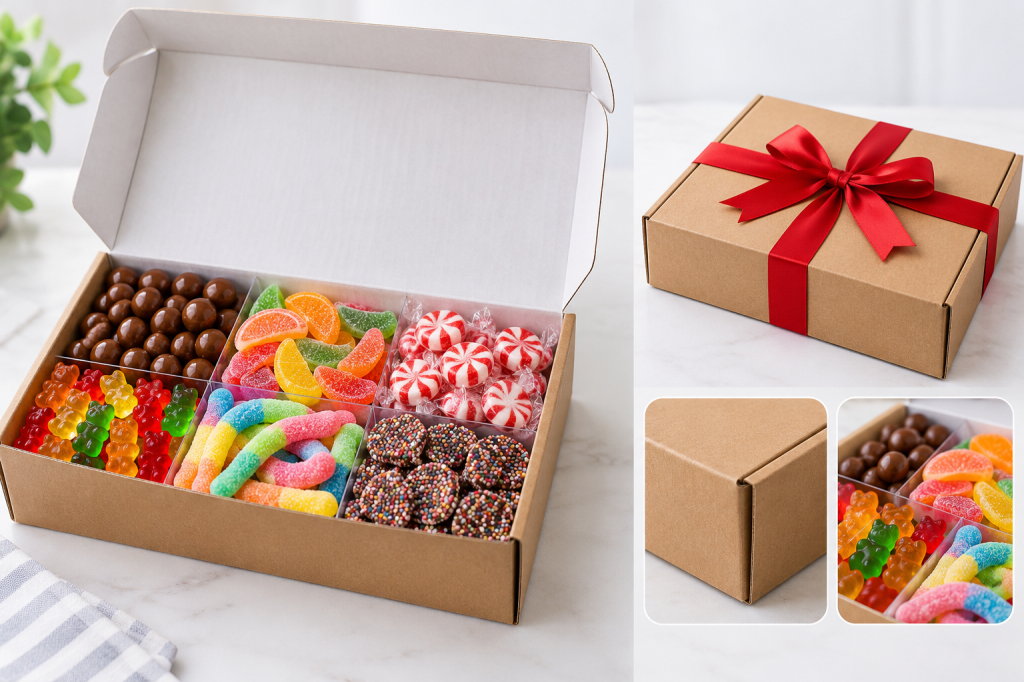
Now place the box under soft, even lighting. And use a plain colored background that does not distract from the product being photographed. Take care to remove any unnecessary items such as tools, loose packaging materials, etc., that were used while preparing the candy box that may detract from viewing the actual product.
Take one overall photo of the entire box closed. The buyer needs to know exactly how their gift will appear before opening the box. Be certain to keep the entire box in view so the customer can visually gauge the shape and finish of the gift box.
Next, show the buyer how the candy appears once the box has been opened. The customer should be able to see the individual candies within the box and know exactly how many there are. If the top cover prevents them from seeing this, simply rotate it slightly to allow better visibility for another photo.
Take a separate image of the individual candies themselves. The customer needs to know exactly what types of candies are present and what type of candy combinations are available. For example, if you are offering peanut butter cups, chocolate bars, lollipops, etc. It would be helpful to include photos that show these various options. Ensure that your photographs accurately depict your candies in their natural colors so that potential customers get an accurate representation of your final product.
Determining Size through images can be difficult
To ensure accuracy regarding the Size of your Candy Boxes include the dimensions within your sales description. While including a photo next to a measuring device (such as a ruler), provides visual evidence of the Size of your Candy Boxes, remember that if you have included a measuring device in the photo it is considered part of the sale and therefore cannot be used as an accurate measurement tool.
If you offer multiple sizes of Candy Boxes, photograph them side-by-side and list them according to their respective sizes and/or prices. Allow customers to easily identify which candy box contains four pieces and which contain twelve pieces, etc.
Avoid using props that could confuse shoppers
While flowers, mugs, gift bags, etc. Can certainly add a festive element to your scenes and photos, avoid using them if they could potentially mislead your customers into thinking they are receiving more than they paid for. Keep your primary product photos simple and uncluttered.
In addition to showing the general appearance of your Candy Boxes, display any options that vary from standard in terms of presentation. In other words, if your customers can select a particular ribbon color for their finished Candy Boxes, then include clear views of each color choice. Also name each ribbon color according to how you listed them on your ordering pages.
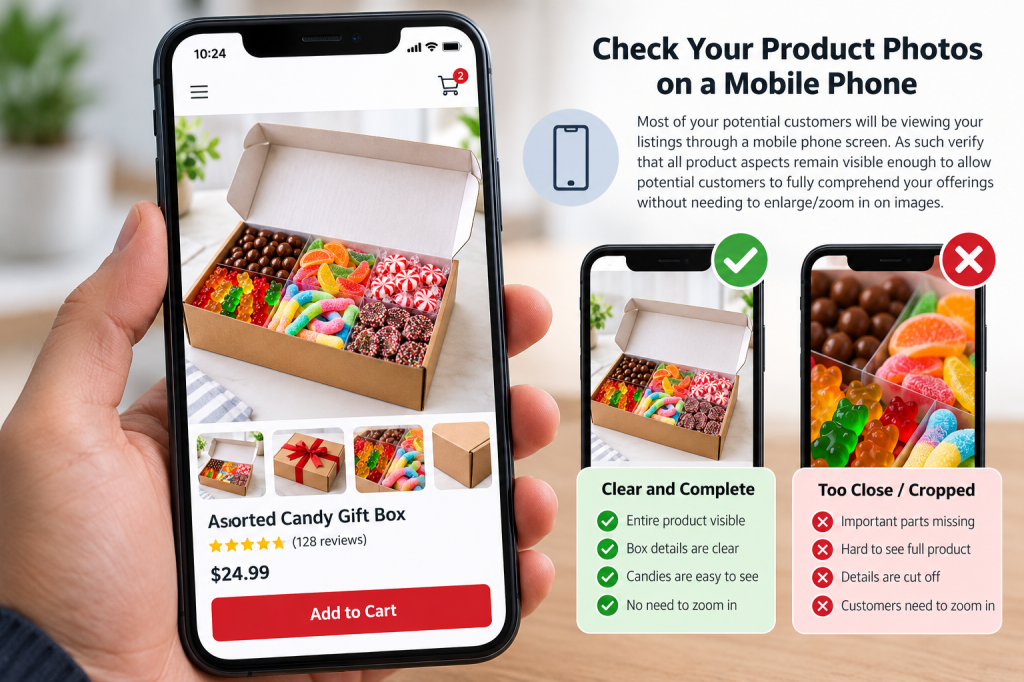
Before publishing your photos test them on a mobile phone. Most of your potential customers will be viewing your listings through a mobile phone screen. As such verify that all product aspects remain visible enough to allow potential customers to fully comprehend your offerings without needing to enlarge/zoom in on images.
Change photos when product changes
Whenever you alter either your Candy Boxes, your candy mixes, or the number of pieces per box update your photos. An outdated photo depicting a product that no longer exists could cause your customers undue frustration during checkout.
Create a simple photo checklist
Use a basic photo checklist for each new product you wish to feature. The minimum requirements would consist of:
* a shot of a closed candy box.
* a shot of a candy box that has been opened.
* a close-up shot of each variety of candy offered.
* dimensions for measuring purposes.
Using these photos will provide clarity to potential customers in regards to what they are purchasing prior to checking out.

